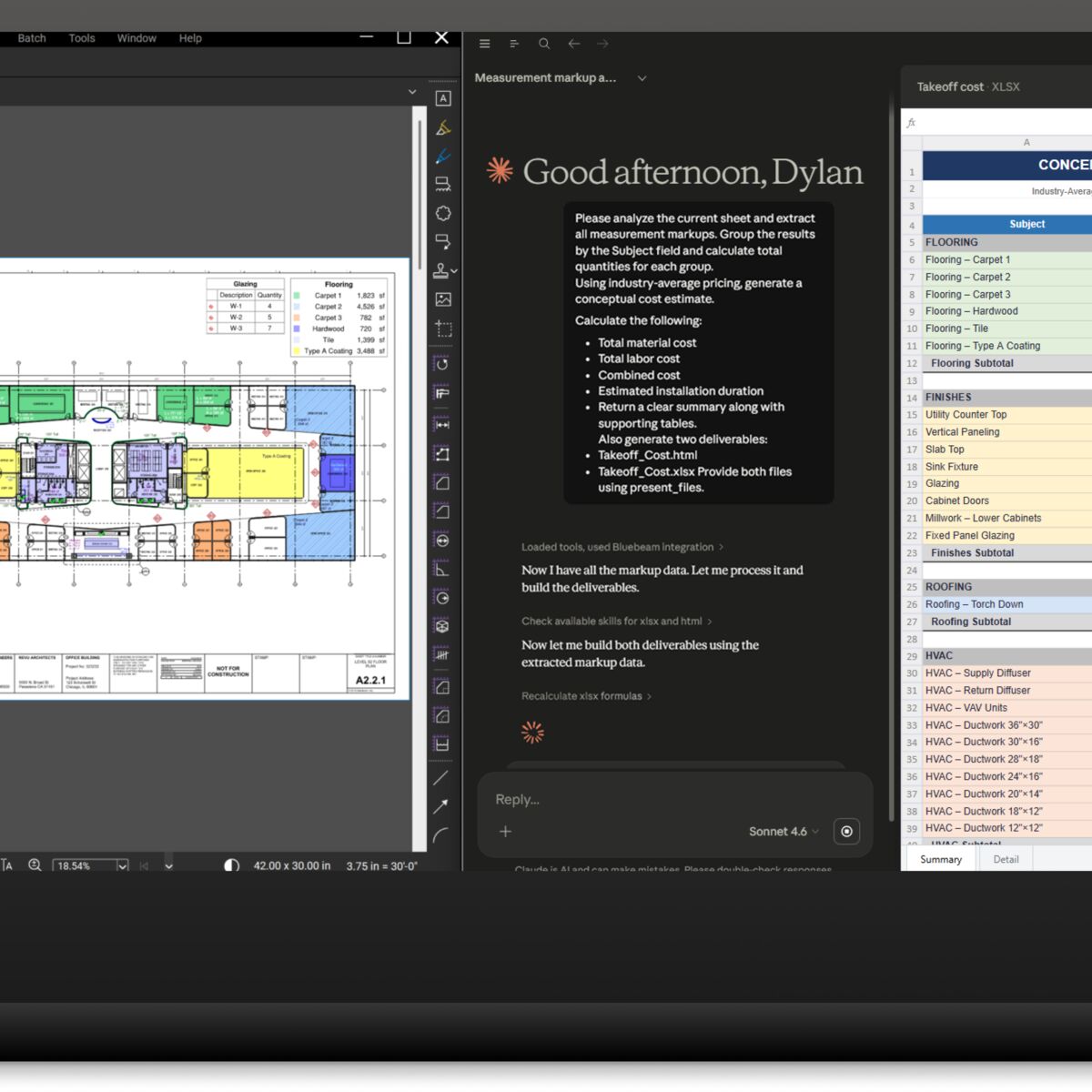
1. AI Support
Bluebeam Max supports Claude AI for issuing commands. In the screenshot shown here, for example, you can see that the user asks the AI to review a list of construction drawings and measurements, calculate the total quantities per component, estimate the costs for materials and labor hours, and deliver the results as a clear summary in Excel and HTML files.

2. Merging Split PDF Drawings
Max can merge PDF drawings that have been split into pieces. Click the start and end points of two matching split lines, and Bluebeam will give you a new PDF with those two parts merged together. You used to need an extremely expensive and complicated CAD program to do that.

3. Magic Markups
Max now offers “magic markups.” These are a kind of quick copy function that lets you convert something—whose unique shape you’ve already defined—into something else, such as a different finish that uses the same floor area and that you want as a separate object, but corrected with a specific offset. A lot of people have been waiting for this!
Sold? Just take a moment to read point 4.
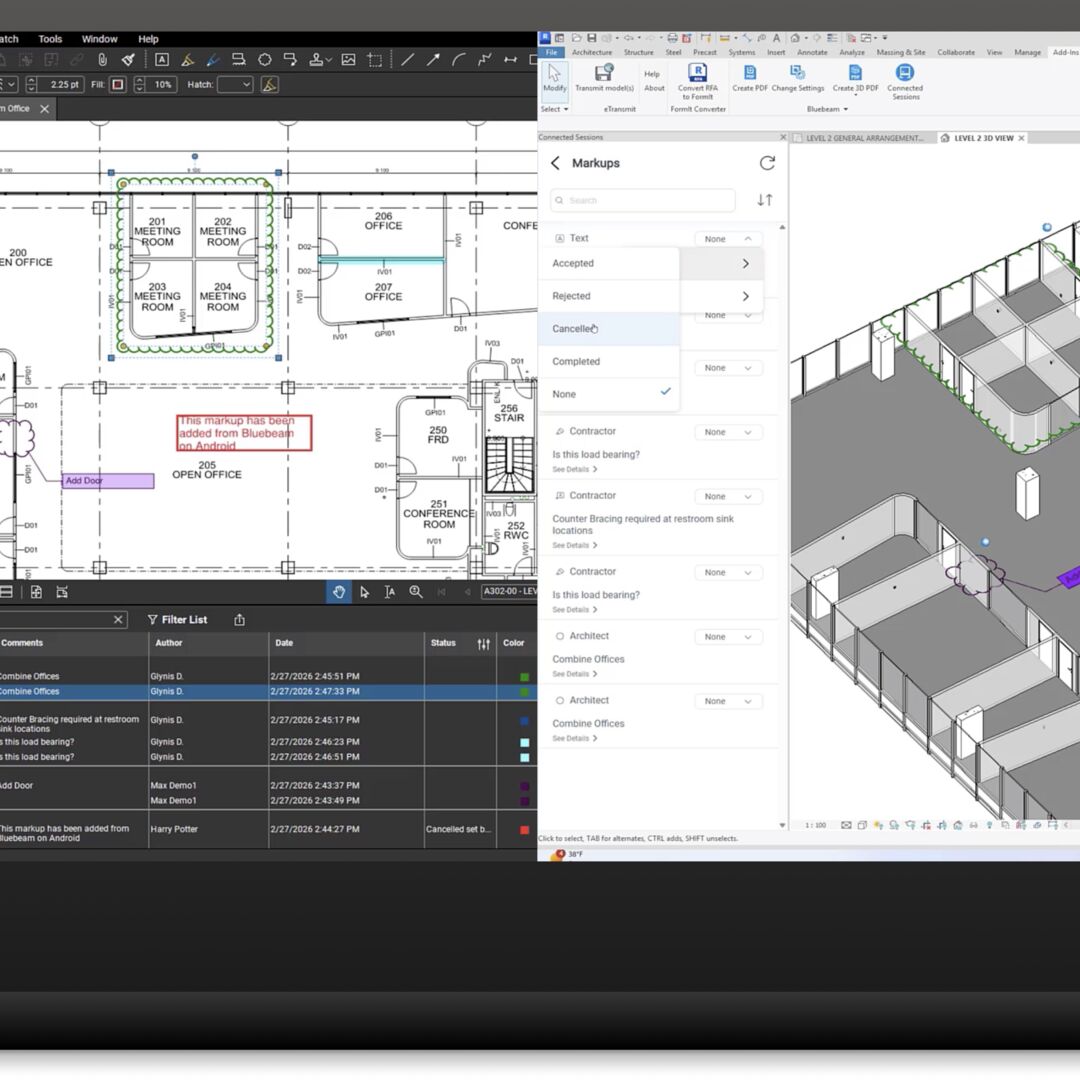
4. Integration with Autodesk Revit
Bluebeam Max and the plugin for Autodesk Revit (the BIM software your colleague uses?) now ensure that the annotations you make externally on a flat PDF drawing (exported from Revit) are not only immediately imported via the Studio server, but also appear exactly in the right spot in your colleague’s 3D model, allowing them to respond right away.
That’s collaboration!!!
Learn more.
This video provides a more detailed explanation of all the new features.