

About Your Contract
- The subscription is renewed annually via an invoice from IDEOMA (with no administrative fees).
- You are always entitled to the latest version of the software at no additional cost.
- If payment is discontinued, the software will stop working.
- The notice period is 3 months prior to the renewal date.
- You can cancel in any way, but the cancellation is not officially valid until you receive an email confirmation from IDEOMA.
- If you wish to expand your subscription during the term, the additional licenses will be billed on a pro-rata basis—that is, only for the remaining months of the current contract year. Upon renewal, you will then pay the new number of licenses multiplied by the annual price.
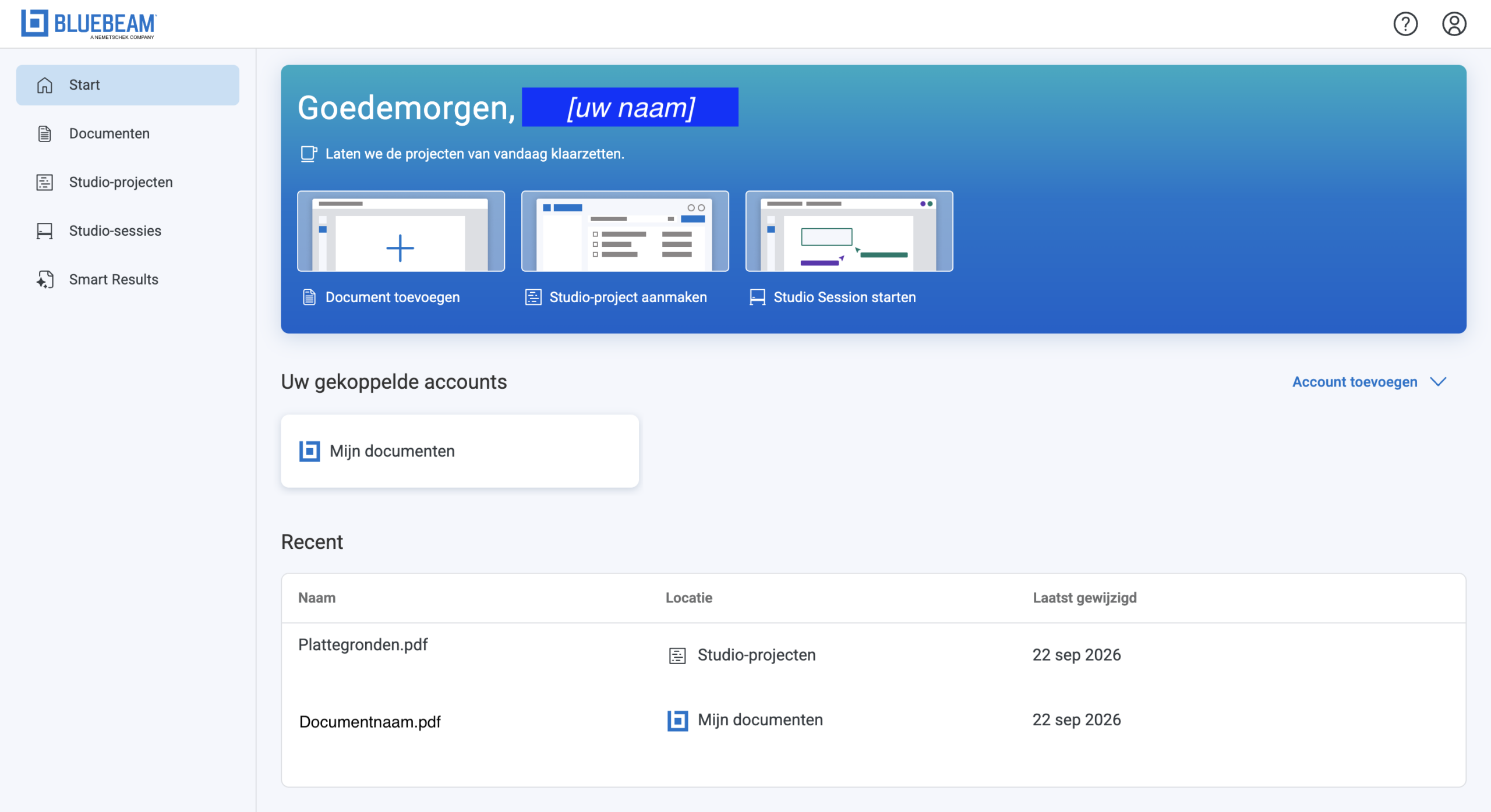
"Org Admin" Administrator Portal and Bluebeam Cloud
Through the online management portal (called Org Admin), you can quickly and easily manage Bluebeam licenses within your organization. You can assign licenses to colleagues, add additional licenses, or reduce the number of licenses. If you are the only user, you’ll only need the management portal to change your email address or password, for example.
Bluebeam Cloud
You can get free access to Bluebeam Cloud through the admin portal or the app store on a tablet or smartphone. On this page, we’ve outlined what you can do with it, how to access it, and how to use it.
Manage Studio Sessions and Projects
With Bluebeam Cloud, you can open and edit Studio projects for free on any device. You can also start a Studio session, which allows your entire team to work on a single PDF document at the same time. Learn more about Bluebeam Cloud here. To grant or deny employees access to Studio sessions and projects, go to the WebApp via the Org Admin portal. There, you can create projects and sessions and manage access.
Org Admin Pro
You can also purchase Org Admin Pro, which grants a designated Studio Admin super-administrator privileges over the company’s entire collaboration data, including project metrics and reports. This costs €18 per user per year. Please contact us to discuss the options or for more information.

Log in to the software
By default, the Bluebeam software on a Windows computer launches as a free PDF viewer. Only after an employee logs in with their email address are all the features associated with the license assigned to that employee through the administrator portal activated.
News
If there are any important updates, we always post them on our website. You can find the latest news articles on the right.

 Bluebeam
 Cloud
Bluebeam
My coworkers need to use Bluebeam from time to time. How do I set that up?
Bluebeam
How do I know if my coworkers are using their Bluebeam license?
Bluebeam
For who is still working with Bluebeam 20
 Bluebeam
 Max is out!
Bluebeam
Bluebeam delivers again!
 Bluebeam
How well is my data protected on Bluebeam’s German server?
Bluebeam
Bluebeam Partner Certifications
Bluebeam
Email “Bluebeam – Important Org Admin Information”
Bluebeam
The Bluebeam outage is over
Bluebeam
The Bluebeam outage is over
Bluebeam
Bluebeam Conference in the Americas
Bluebeam
Bluebeam Org Admin Portal “down for maintenance”

User Data Security
We place a high value on your privacy and the security of your data. Through the secure management portal on the server in Germany, Bluebeam and IDEOMA can see who you designate as Bluebeam users and which licenses they are authorized to use. We cannot see whether they actually use those licenses. IDEOMA does not copy this data and retains this right of access only as long as you and Bluebeam permit it.

User Agreement
On the Bluebeam website, you’ll find the current user agreement, which also includes links to Bluebeam’s data protection and privacy policies.