How does Bluebeam Studio work?
Bluebeam Studio is included as part of your Bluebeam subscription and consists of two components that work together seamlessly:Studio projects andStudio sessions.
Studio Projects
A Studio project serves as a secure, central online repository for all your project files (such as PDFs, images, DWG files, and Excel spreadsheets).
- Folder structure and permissions: Organize documents clearly and specify in detail which team members are allowed to view, upload, or edit files.
- Checking in and out: To prevent colleagues from overwriting each other’s work, a single user checks out a document to edit it. Once the changes are saved and the file is checked back in, everyone sees the latest version.
- Automatic version history: Every change is saved as a new revision, ensuring that older versions remain traceable and recoverable at all times.
Studio Sessions
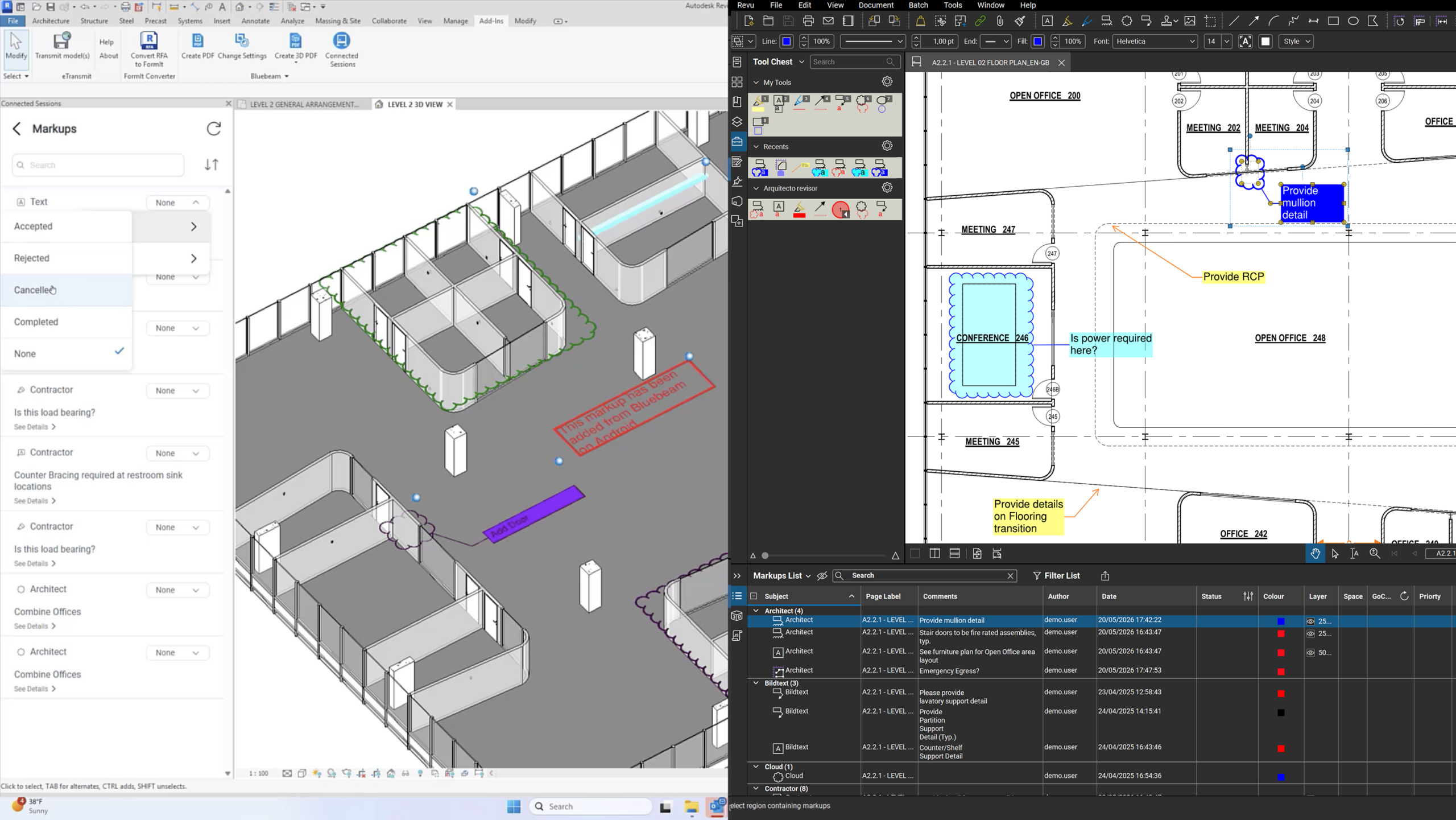
A Studio session is an online workspace where invited participants can work on the same PDF documents at exactly the same time.
- Multiple specialists (such as architects, structural engineers, and subcontractors) can simultaneously add markings, comments, and measurements to the same construction drawing.
- There is a comprehensive audit trail: every comment and chat message posted is automatically logged with the user’s name and a timestamp. This prevents miscommunication later on.
- With a single click, you can link files from a Studio project to a Studio session for a collaborative review round. Afterward, you can immediately save the updated document back to the project.

What is the difference between Bluebeam Studio and Bluebeam Cloud?
Because both solutions run in the cloud, they are often confused with one another. However, they are designed for different phases and work environments within the construction process. In short, Bluebeam Studio is the advanced collaboration feature within the Windows desktop software Revu, while Bluebeam Cloud is a standalone web and mobile platform for quick access on the go and on the job site.
The Top Benefits of Bluebeam Studio at a Glance
- Lower failure costs: Because everyone works on the same drawing in real time, outdated PDF versions sent via email are a thing of the past.
- Time savings during review rounds: What used to take days of back-and-forth emailing of comments now happens simultaneously in a single session.
- Full transparency: Thanks to the detailed activity log, it’s always clear who proposed which change.
- Secure cloud storage: All project data is stored in encrypted form on secure servers (including European server locations for GDPR compliance).

Ready to speed up your project communication?
Get started with Bluebeam Studio today through your Bluebeam account, or contact us for a no-obligation demo and personalized licensing advice.